How it works

Bring your shares in once. Then just open it.

Sign in on the web or the app, add what you own by hand or from MeroShare, and Punji keeps every holding valued at NEPSE prices, with your family’s beside yours.

Free to use, paid for by ads. No broker login, nothing to install on the web.

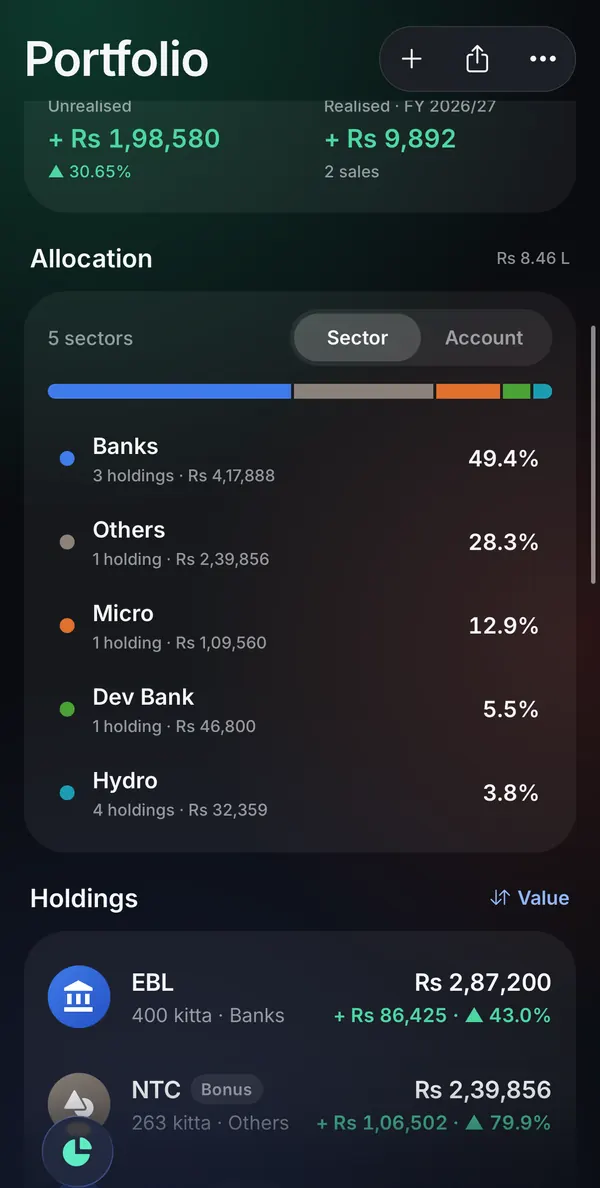
Punji app Portfolio: unrealised and realised gains, allocation by sector, and holdings with the gain on eachPunji app Portfolio: unrealised and realised gains, allocation by sector, and holdings with the gain on each
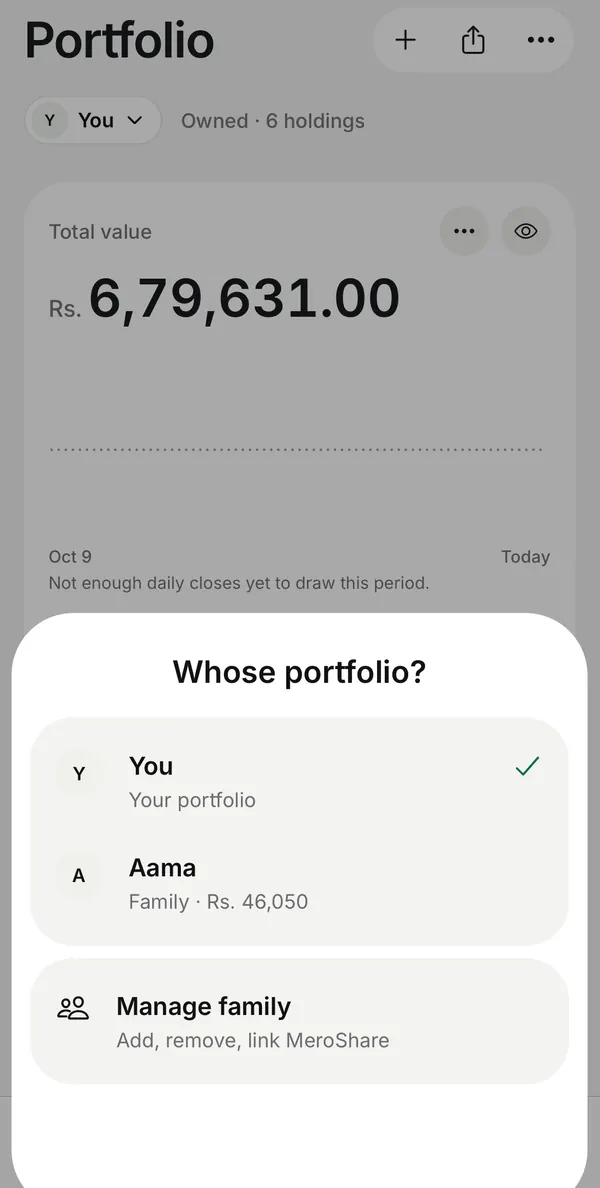
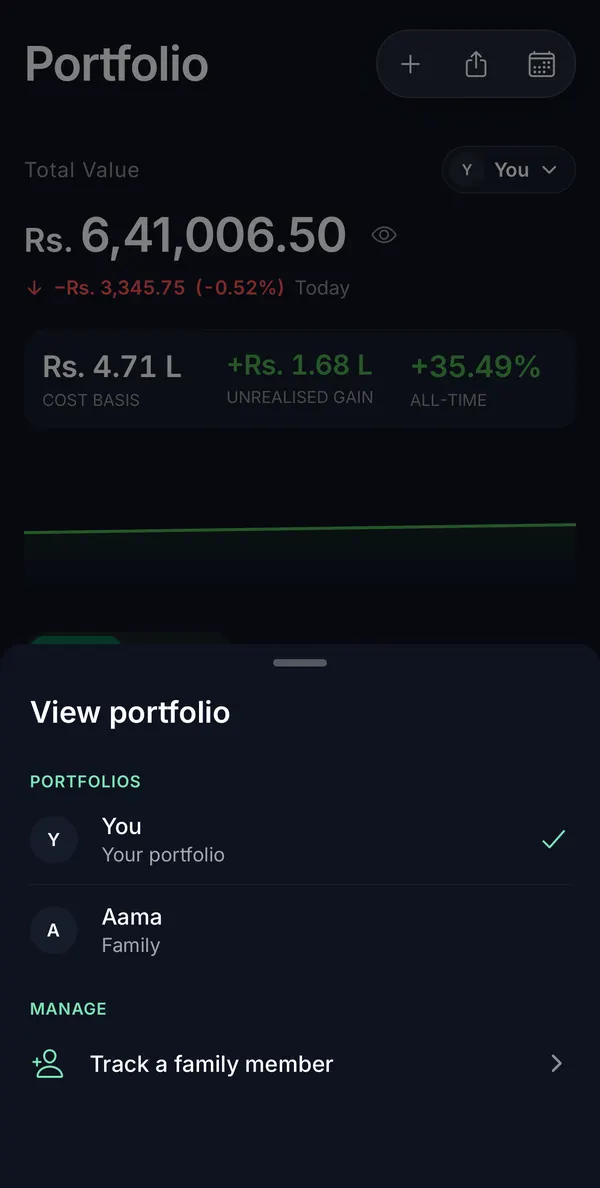
Punji app Portfolio with the portfolio switcher open: you, a family member, and a way to manage familyPunji app Portfolio with the portfolio switcher open: you, a family member, and a way to manage family

The Punji app with a test account and sample holdings.

Getting your holdings in

Three ways to add what you own.

Use whichever suits you. You can mix them, and change any holding later.

In the app

Import from MeroShare

Connect a MeroShare account once, yours or a family member’s, and sync your real holdings whenever you like. Punji works out each one’s value, gain and tax from there.

  • Your password, CRN and PIN stay on your phone
  • Your cost comes across once you have run My WACC in MeroShare
  • Say which stocks you have held for over a year
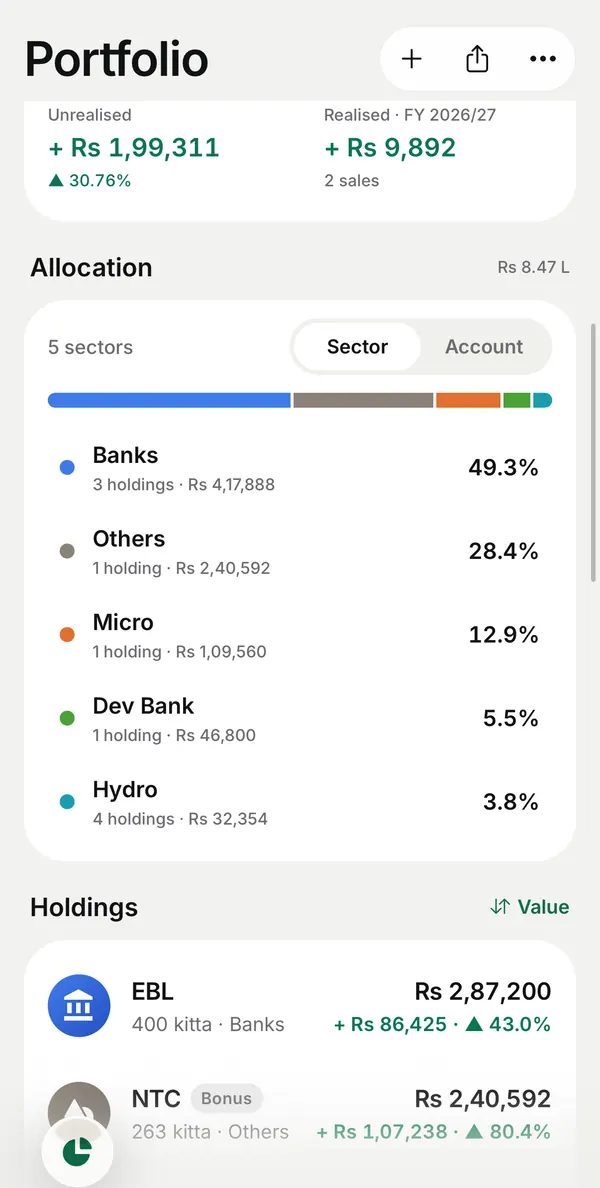
Punji app Portfolio: unrealised and realised gains, allocation by sector, and holdings with the gain on eachPunji app Portfolio: unrealised and realised gains, allocation by sector, and holdings with the gain on each
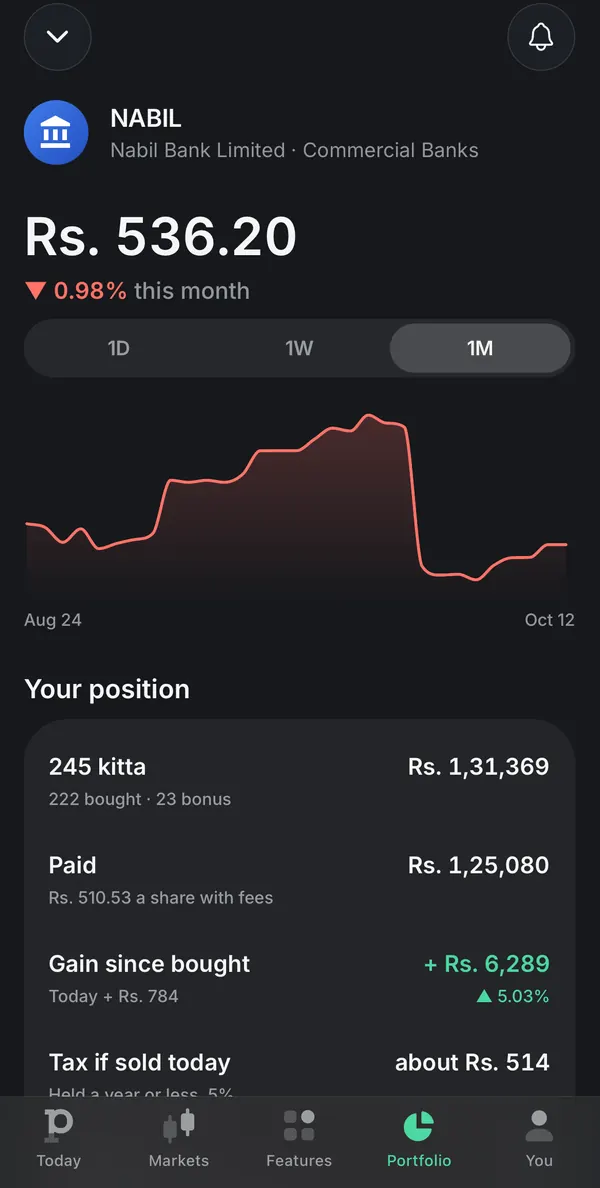
Punji app holding card for NABIL: the price chart, kitta held, what was paid, the gain since bought and the tax if sold today
  • Web and app

    Type it in

    Pick the stock, then enter the kitta, the price you paid and the date. On the web, add a holding from Portfolio at me.punji.app.

    • The date you bought, for the right tax rate later
    • NEPSE fees on the buy worked out for you
  • App

    Bring a file

    Import your MeroShare transaction history with its WACC report, a TMS trade book, or another app’s export, as CSV or Excel.

    • Every purchase keeps its date and fees
    • Undo the import if it is not right

Four steps

From sign-in to a portfolio that watches itself.

Each step on the screen where it happens.

  1. Step 1

    Sign in, on the web or the app

    Use Google, Apple or your email at me.punji.app, or get the app on iPhone or Android. It is one account, so your holdings, watchlist and alerts are the same everywhere.

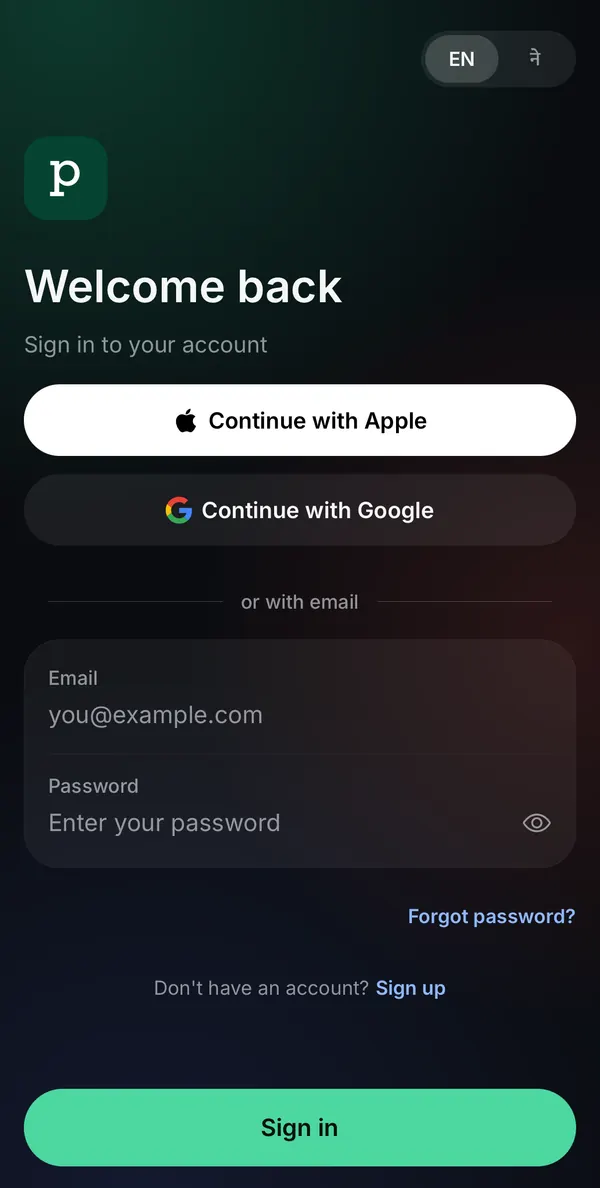
    Punji app sign-in: continue with Apple, continue with Google, or an email and password
  2. Step 2

    Bring in what you own

    Type a holding in, or import from MeroShare in the app. Each holding is valued at NEPSE prices, with what you paid and what it has made beside it.

    Punji app Portfolio: unrealised and realised gains, allocation by sector, and holdings with the gain on eachPunji app Portfolio: unrealised and realised gains, allocation by sector, and holdings with the gain on each
  3. Step 3

    Add the family

    Keep a portfolio for a parent, partner or child under Family. Link their MeroShare or add their holdings by hand, then switch between portfolios from the top of Portfolio.

    Punji app Portfolio with the portfolio switcher open: you, a family member, and a way to manage familyPunji app Portfolio with the portfolio switcher open: you, a family member, and a way to manage family
  4. Step 4

    Let it watch for you

    Follow stocks on your watchlist and set a price alert. Punji tells you when a price is reached, when a book close or rights issue reaches a stock you hold, and how your day went.

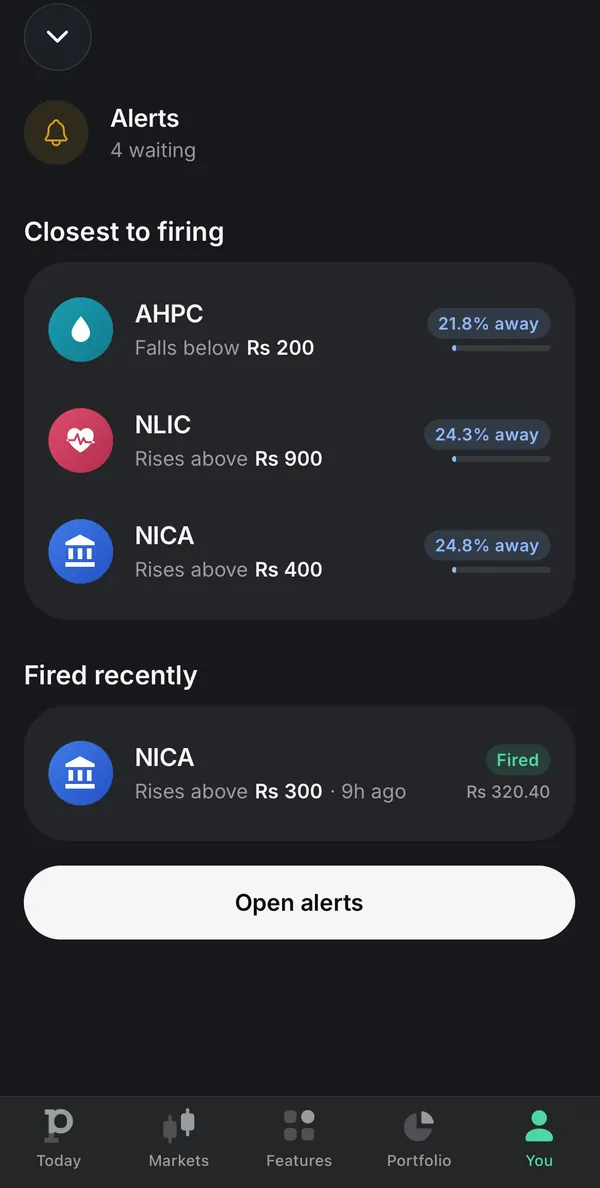
    Punji app Alerts: alerts closest to firing with how far each is from its price, and the ones fired recently

The Punji app with a test account and sample holdings.

Your details

What stays on your phone.

MeroShare and TMS logins never reach a Punji server. Your holdings are kept in your account and never go to an ad network.

  • Logins on the deviceMeroShare password, CRN and PIN are kept in the phone’s encrypted secure storage.
  • Your lock firstFace ID, fingerprint or your passcode before a saved MeroShare or TMS login is used.
  • No screenshotsThe MeroShare and TMS account screens cannot be captured or recorded.
  • Not for advertisersYour holdings never go to an ad network, and quantities, prices and totals never go to analytics.

Questions

Before you start.

Something else? Write to contact@punji.app, or read support.

Do I need the app, or can I use the web?

Either. At me.punji.app you can sign in, add holdings, record a sale, and keep a watchlist and alerts. MeroShare import, file import, IPO applications and the practice arena are in the app. Both use the same account, so what you add in one shows in the other.

Where do my MeroShare details go?

Your MeroShare password, CRN and PIN stay in your phone’s secure storage and are never sent to Punji. When you sync, Punji receives the holdings, the account’s BOID and an account reference, so your portfolio is there on every device.

Do I need a broker login?

No. Punji never places orders. It reads NEPSE’s published data and works out your portfolio from the holdings you add or import. Trading happens in your broker’s TMS.

Where do the prices come from?

From the data the Nepal Stock Exchange publishes, read by Punji’s own service. NEPSE trades Monday to Friday, 11:00 to 15:00. Outside those hours you see the last close, and live figures can run a minute or more behind.

How does Punji work out tax and fees?

It applies NEPSE’s broker commission bands, the SEBON fee, the DP charge and the capital gains tax schedule for the date of the sale, and shows each line so you can check it. It is an estimate, not tax advice; your broker’s contract note is the record.

How does Punji make money?

Ads. A small banner on a few browse screens in the app, never on your portfolio, and on a few actions a short video once you pass a free daily allowance. Every feature can be used without paying.

Can I take my data out?

Yes. In the app, Your data under You downloads everything in one file, or your holdings and history as spreadsheets. On the web, your transactions export as a CSV.

Start with your portfolio.

Open Punji in your browser, or take it with you on your phone. Free, paid for by ads.